Integration options
Getnet's Web Checkout solution gives you flexible integration options. You can tailor the checkout experience to your specific business needs and e-commerce platform.
Getnet offers three main integration methods. You can configure all of them with your unique API keys.
iFrame
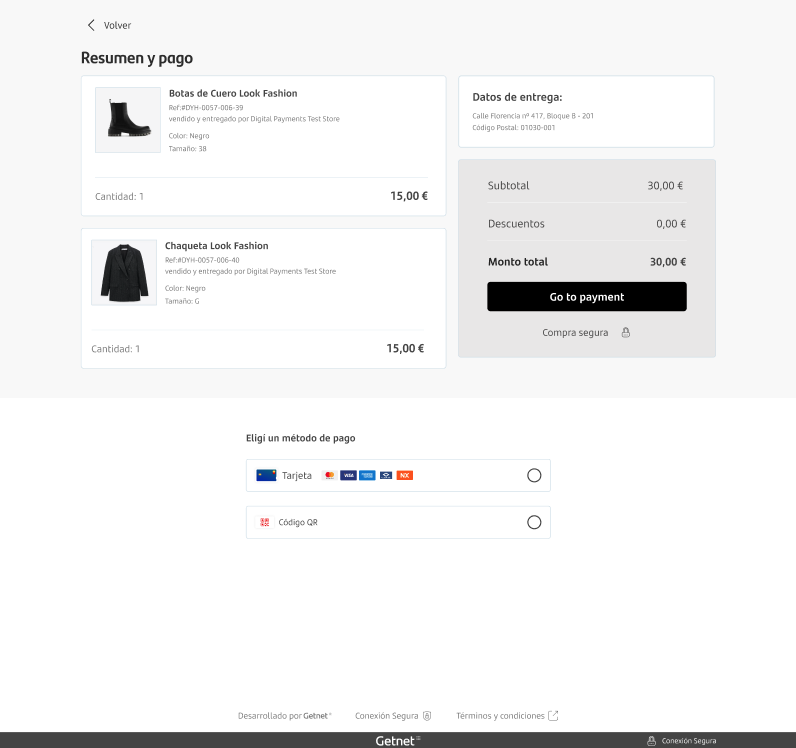
The iFrame solution is one of the most widely used approaches. It offers seamless integration by embedding the checkout form directly in your e-commerce site.
This approach lets customers complete their purchase without a redirect, for a smooth and consistent user experience.
How it works
The iFrame checkout flow works as follows:
- Customers add items to their shopping cart.
- A secure Getnet widget appears directly on the checkout page.
- Customers fill out their payment information without any external redirects.
Lightbox
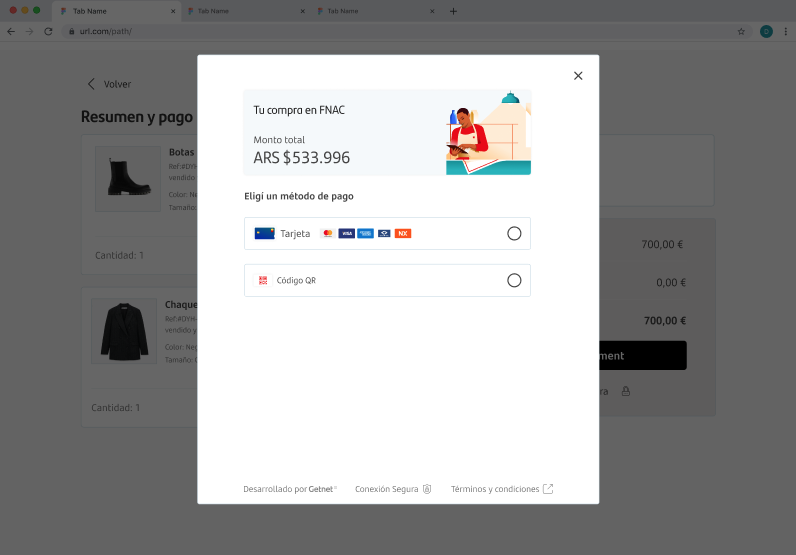
Like the iFrame solution, Getnet's Lightbox provides a seamless user experience by keeping customers on your website. The key difference is the presentation.
The payment checkout appears in a pop-up form rather than embedded directly in the page. This offers a convenient and non-intrusive way to complete the transaction.
How it works
The Lightbox checkout flow works as follows:
- The customer is on your page.
- When the customer clicks complete payment, the checkout appears in an overlay window.
- After the customer completes or cancels the payment, they automatically return to your website.
Redirect
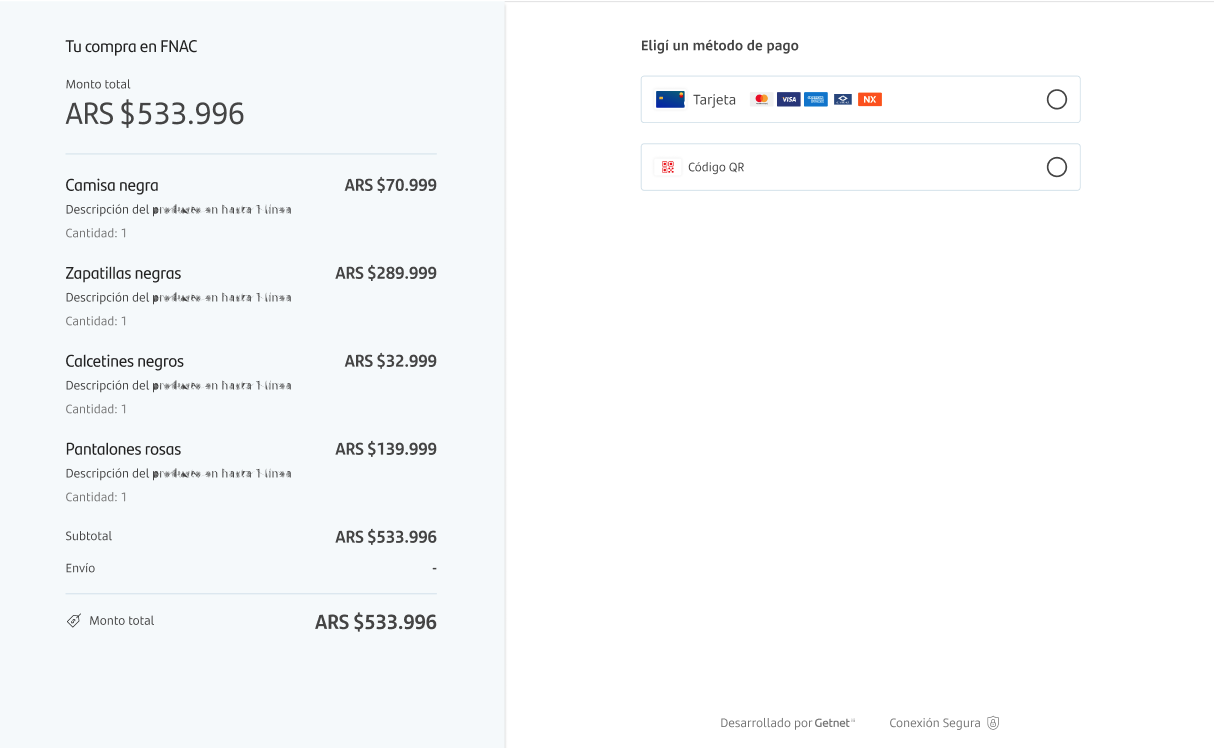
With the Redirect solution, customers go to a Getnet-hosted payment page when prompted to make a payment. They complete the transaction on that page.
After completion, customers return to your website, which keeps the checkout process smooth.
How it works
The Redirect checkout flow works as follows:
- When the customer clicks checkout, they leave your store for a Getnet-hosted payment page.
- After the customer finishes or cancels the transaction, they automatically return to your website.
Regional availability
The following table shows which solutions are available in each region.
| Solution | Argentina | Brazil | Chile | Mexico | Europe | Uruguay |
|---|---|---|---|---|---|---|
| iFrame | ✅ | ✅ | ✅ | ✅ | ✅ | ✅ |
| Lightbox | ✅ | ✅ | ✅ | ✅ | ✅ | ✅ |
| Redirect | ✅ | ✅ | ✅ | ✅ | ✅ | ✅ |
Next steps
After you compare the options, continue with the next step:
- Choose your integration path in the Get started guide.
On this page